
Edit and pre-filled response links
Edit and pre-filled response links let respondents update an existing answer or submit a new one with their previous answers already filled in. Useful for approval flows, repeat submissions, or letting people fix typos without starting from scratch.
Where to find the links
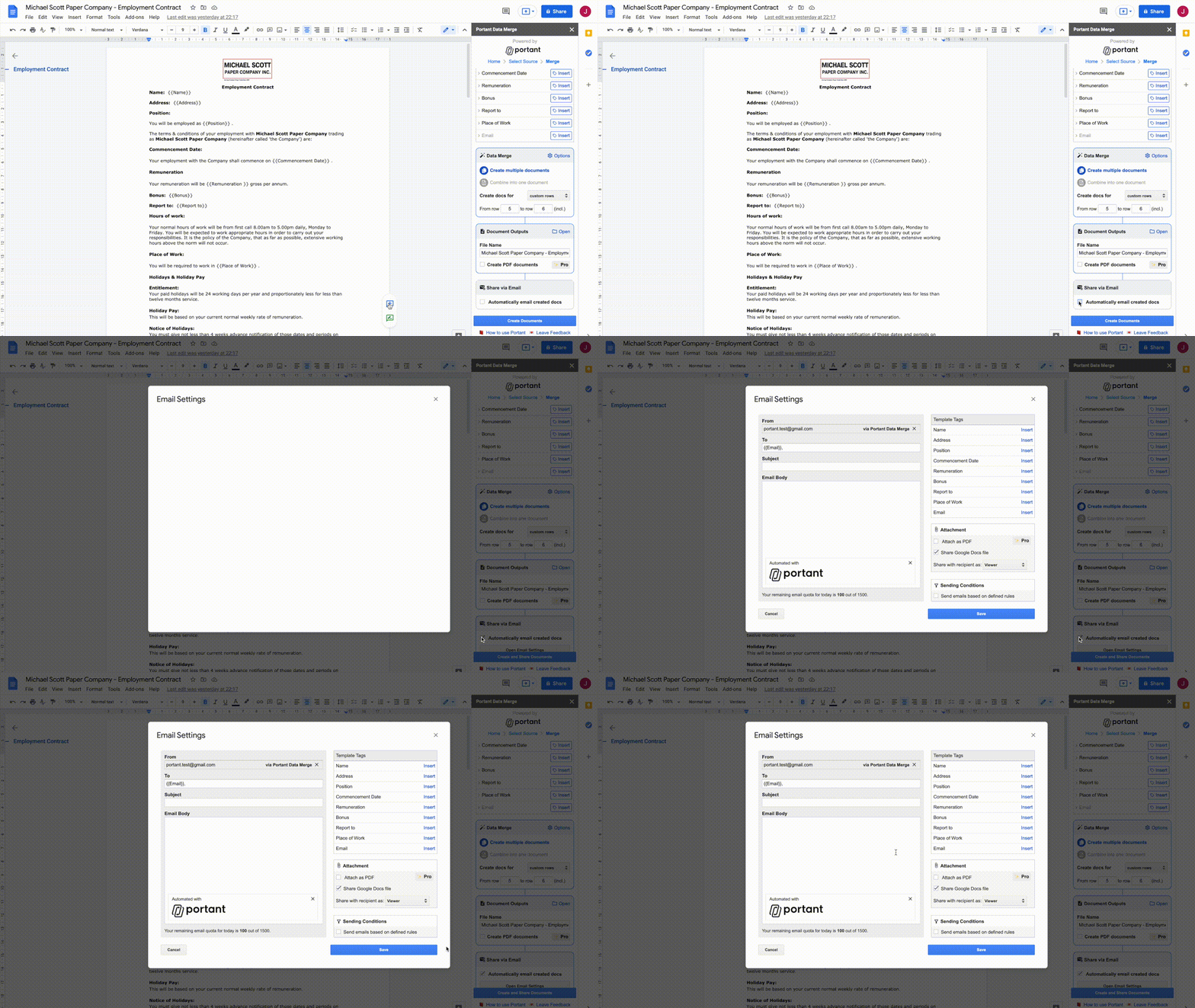
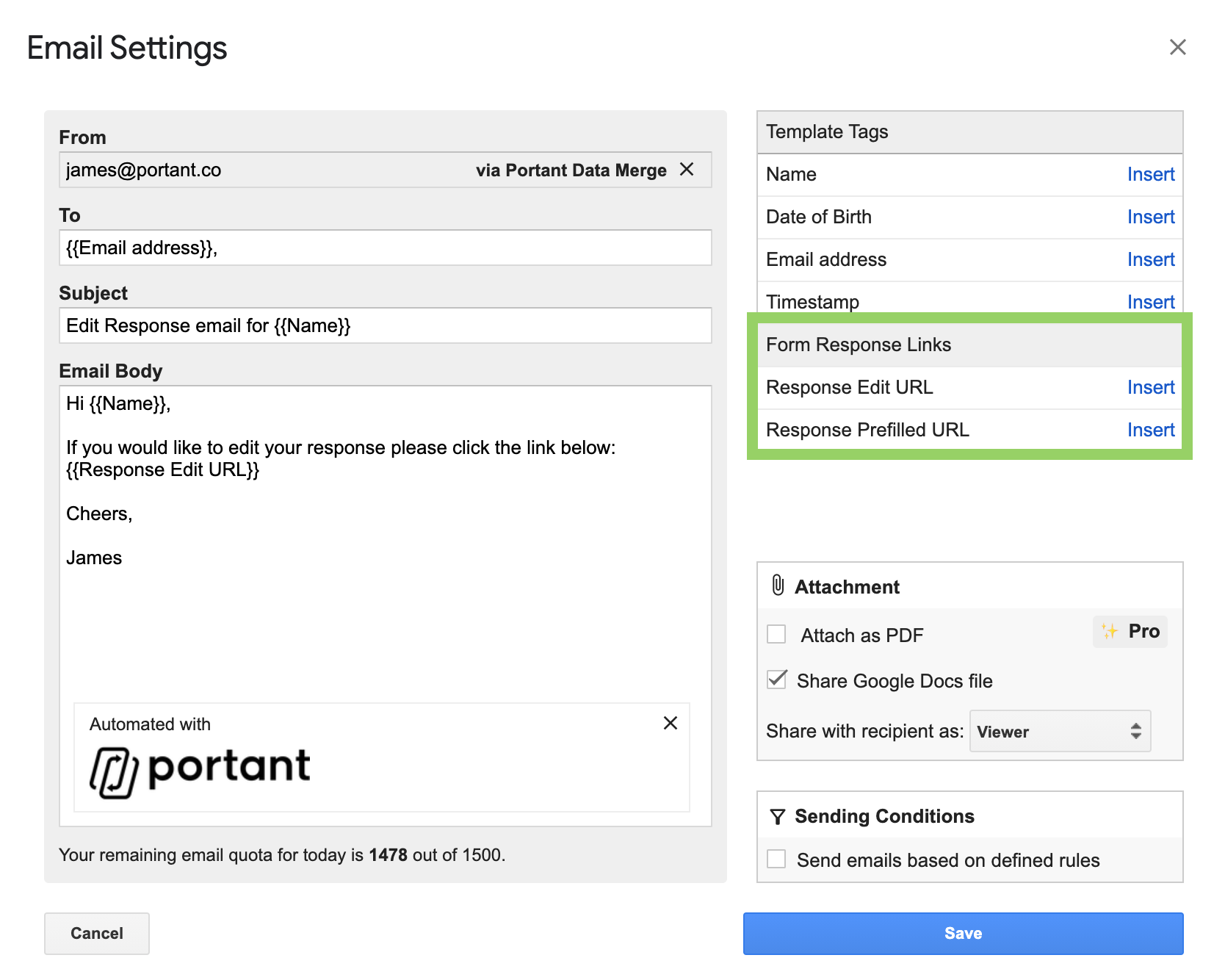
Open the email settings by ticking Automatically email created docs in the Share via email box. When the email modal opens, the Form response links sit on the right, under the template tags.
Edit response link
The edit response link lets a respondent change the answers they've already submitted. When they click the link, the form opens with their original answers pre-filled. They can change anything and click Submit, and the original row in the response sheet is updated with the new answers.
Note: This updates the original row, it doesn't create a new one.
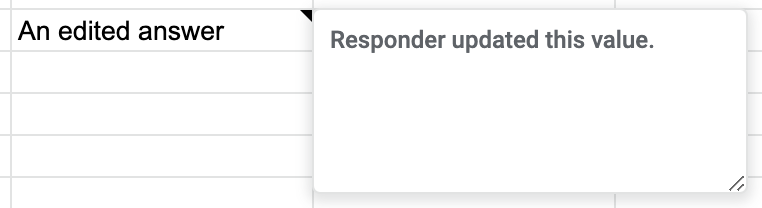
Edited answers are marked with a small triangle in the top-right corner of the cell:
Portant then recreates the document and saves it in the output folder. The original document stays in the folder too. If Document Links in Spreadsheet is on, the link in the response sheet is updated to the new document.
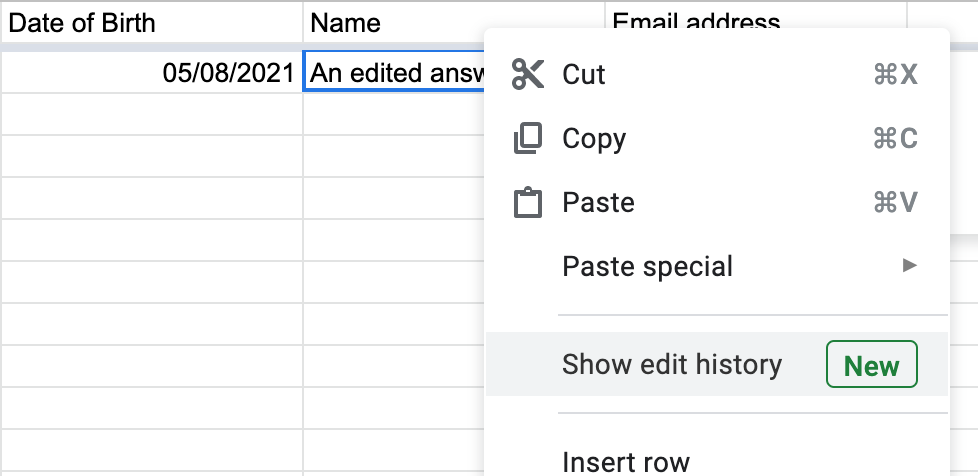
You can see the previous answer by right-clicking the cell and choosing Show edit history.
Pre-filled response link
The pre-filled link lets a respondent submit a new response with their previous answers already filled in. When they click the link, the form opens with the original answers in place. They can change anything they want and click Submit, and a new row is added to the bottom of the response sheet.
Portant then creates a new document from the new row and saves it in the output folder.