

SalesBricks is a purpose-built CPQ and interactive proposal platform — but that's exactly why many HubSpot teams outgrow it. If your team needs to send a contract after the proposal, automate an NDA before the deal, or generate a statement of work from deal data, SalesBricks doesn't cover that ground. It's built for one workflow well. The rest of your document stack is still someone else's problem.
That gap becomes expensive fast. Reps close a deal in SalesBricks, then switch to Google Docs for the contract, paste the same data in again, and chase signatures through a third tool. Nothing syncs back to HubSpot automatically. The CRM is always one step behind.
This guide covers the ten best SalesBricks alternatives for HubSpot teams in 2026. Each tool is rated on G2, priced transparently, and assessed honestly for what it does well and where it falls short. Whether you need a full document automation platform, a lighter proposal tool, or something in between, one of these will fit better than stretching SalesBricks beyond its lane.
Why teams switch from SalesBricks
SalesBricks is built around interactive, web-based CPQ proposals where buyers can configure options and see pricing update in real time. That's a genuinely useful capability for certain sales motions — particularly product-led or self-service deals. But for most B2B sales teams using HubSpot, it creates three problems.
First, document scope. SalesBricks handles interactive pricing proposals. It doesn't handle contracts, NDAs, SOWs, service agreements, or any document that requires legal language, clause management, or a static PDF output. Teams with more than one document type in their sales cycle need a second tool from day one.
Second, pricing opacity. SalesBricks doesn't publish its pricing — you need to contact their sales team to get a quote before you can even trial the product. For teams that want to evaluate tools and understand costs before a call, that friction slows evaluation down and makes budget planning harder.
Third, HubSpot integration depth. SalesBricks syncs with HubSpot for data, but documents generated through SalesBricks live in SalesBricks — not on your HubSpot deal timeline as native records. Your workflows, reports, and pipeline reviews still don't know what's been sent and signed unless someone manually updates the deal.
Quick comparison: 10 best SalesBricks alternatives for HubSpot teams
| Tool | Best for | HubSpot integration | Starting price | Free plan | G2 |
|---|---|---|---|---|---|
| Portant | HubSpot-native full document automation | Native (certified #1 app) | $42/mo workspace | Yes (10 docs/mo) | 4.7/5 |
| PandaDoc | Dedicated document editor with CPQ features | Deep (Business plan) | $49/user/mo | No (14-day trial) | 4.7/5 |
| DealHub | Enterprise CPQ and revenue platform | Deep | Custom | No | 4.7/5 |
| Proposify | Polished proposals with approval workflows | Sync-based | $49/user/mo | No (14-day trial) | 4.6/5 |
| Qwilr | Interactive web-based proposals | Native | $35/user/mo | No (14-day trial) | 4.5/5 |
| GetAccept | Sales engagement with document delivery | Deep | Custom | No | 4.6/5 |
| HubSpot Quotes | Free native quoting inside HubSpot | Native | $0 with Sales Hub | Yes | 4.4/5 |
| Juro | Contract lifecycle management | Deep | Custom | No | 4.7/5 |
| DocuSign | Enterprise-grade eSignature | Connector | $45/user/mo | No (30-day trial) | 4.5/5 |
| Oneflow | Contract automation with interactive elements | Native | $35/user/mo | No (14-day trial) | 4.6/5 |
G2 ratings as of May 2026. Pricing shown is entry-level paid tier.
 1. Portant — best for HubSpot-native full document automation
G2: 4.7/5 · From $42/mo workspace · Free plan: Yes (10 docs/mo)
Portant is the #1 HubSpot-certified document automation app, built for teams who want HubSpot to stay at the centre of their sales workflow. Where SalesBricks specialises in interactive CPQ proposals, Portant handles every document type across the sales cycle — proposals, contracts, NDAs, SOWs, quotes, and more — from a single platform, using your existing Google Docs, Word, Slides, and PowerPoint templates as the source.
The core difference from SalesBricks is document scope and HubSpot depth. In Portant, every document you generate is saved back to HubSpot as its own record. Deal timelines show the full document history. Workflow automation can trigger on document status: move a deal stage when a contract is signed, create a follow-up task when a proposal goes unviewed for 48 hours, notify a rep when a second signer hasn't completed. None of that requires a third-party integration — it all runs inside HubSpot.
Templates in Portant live in Google Docs or Word, which means your legal team can edit them directly without learning a new tool. Merge tags pull in deal, contact, company, line item, and custom property data automatically. You don't rebuild documents in a proprietary editor — you use files your team already owns. When legal updates a clause, the change takes effect on the next document generated, with no migration and no re-approval process.
Approval routing is built in. If a discount exceeds a threshold or a non-standard clause is present, the document routes to the right reviewer before it can be sent. Reviewers get a clear notification and can approve or reject with a comment — all inside HubSpot, all visible on the deal record. No Slack threads, no email chains, no version confusion.
eSign is included on all paid plans. Multi-signatory support, sequential signing, and branded signing portals come standard. Signing events — opened, signed by each party, fully executed — fire back to HubSpot automatically, so your CRM always reflects what's actually happened with the document.
Pricing is transparent and workspace-based: $42/mo for Pro, $125/mo for Team (up to 5 users). A team of three pays $125/mo total. That's a fixed overhead regardless of headcount changes mid-year, which matters when you're trying to close the quarter, not recalculate per-seat costs.
Pricing: Free (10 docs/mo), Pro $42/mo (workspace), Team $125/mo (up to 5 users). 5-user SalesBricks equivalent: contact sales vs Portant Team at $125/mo.
See the full side-by-side at our Portant vs SalesBricks comparison page.
Key features
- Generate any document type from HubSpot: proposals, contracts, NDAs, quotes, SOWs
- Templates in Google Docs, Word, Slides, PowerPoint, and PDF
- Auto-populate from deal, contact, company, line item, and custom HubSpot properties
- Documents saved as HubSpot records with full deal timeline visibility
- Trigger generation from HubSpot workflows and deal stage changes
- Built-in approval routing before send
- Built-in eSign: multi-signatory, sequential, branded portals
- Signing status syncs back to HubSpot at every step
- Flat workspace pricing — no per-seat surprises
Pros
- Covers every document type, not just CPQ proposals
- Deep HubSpot-native integration with documents as CRM records
- No template migration — uses existing Google Docs and Word files
- Transparent published pricing with a generous free tier
- eSign, approvals, and automation all in one platform
Cons
- Doesn't offer buyer-configurable interactive pricing widgets
- No standalone CPQ configurator for complex product catalogs
 2. PandaDoc — best for a dedicated document editor with CPQ features
G2: 4.7/5 · From $49/user/mo (Business w/ HubSpot) · Free plan: No (14-day trial)
PandaDoc is the most widely used document platform for HubSpot teams and the closest full alternative to SalesBricks' proposal capabilities. It includes a polished drag-and-drop document editor, a content library for reusable blocks, pricing tables, product catalogs, and approval workflows. The HubSpot integration at the Business plan level is deep — deal data populates documents automatically, and document status syncs back to HubSpot so your pipeline reflects reality.
Where SalesBricks focuses narrowly on interactive CPQ, PandaDoc covers the full document lifecycle: proposals, contracts, NDAs, and quotes in one platform. The trade-off versus Portant is the editor model — teams rebuild documents in PandaDoc's interface rather than reusing existing Google Docs or Word files. For teams that want a purpose-built editor with rich design control, that's fine. For teams with existing legal-approved templates, it adds migration overhead.
Key features
- Drag-and-drop document editor with content library
- Pricing tables and product catalog integration
- Approval workflows and version history
- Deep HubSpot integration (Business plan)
- Built-in eSign
Pros
- Mature platform with broad document coverage
- Strong proposal design capabilities
- Deep HubSpot data sync at Business tier
Cons
- HubSpot integration requires Business plan at $49/user/mo
- Per-seat pricing adds up quickly for larger teams
- Templates live in PandaDoc, not your existing Google Docs files
Pricing: Business plan $49/user/mo (HubSpot integration). 5-user team: $245/mo vs Portant Team $125/mo.
 3. DealHub — best for enterprise CPQ and revenue workflows
G2: 4.7/5 · Custom pricing · Free plan: No
DealHub is the closest enterprise-grade competitor to SalesBricks in terms of CPQ depth. It covers complex guided selling workflows, multi-tier approvals, revenue forecasting, and subscription management — capabilities designed for organisations with large product catalogs and lengthy deal cycles. For teams that actually need a full CPQ platform rather than a document automation tool, DealHub is the natural upgrade from SalesBricks.
For HubSpot teams that primarily need document automation rather than CPQ complexity, DealHub is likely overkill. Implementation timelines can stretch to weeks, pricing requires a custom quote, and the overhead of a full CPQ platform doesn't justify itself unless you have genuinely complex product configuration needs.
Key features
- Guided selling and complex product configuration
- Multi-tier approval workflows
- Revenue intelligence and subscription management
- CRM integration including HubSpot
Pros
- Most capable CPQ platform on this list
- Handles genuinely complex product catalogs and pricing models
- Strong revenue operations features
Cons
- Custom pricing with no self-serve trial
- Weeks of implementation for full setup
- Overkill for most SMB and mid-market HubSpot teams
Pricing: Custom — contact sales. Best suited to enterprise teams with complex CPQ requirements.
 4. Proposify — best for polished proposals with approval workflows
G2: 4.6/5 · From $49/user/mo · Free plan: No (14-day trial)
Proposify is a proposal-first platform with a strong emphasis on design quality, content management, and team approval workflows. It's a natural alternative for teams leaving SalesBricks who want polished proposals without the CPQ complexity — the editor is clean, the template library is well-stocked, and the approval chain is easy to configure.
HubSpot integration at the Team plan level covers deal data population and status sync. Proposify doesn't extend to contracts or other document types — if you need those, you'll still need a second tool. Pricing at $49/user/mo is in line with PandaDoc, which means team cost grows with headcount in the same way.
Key features
- Visual drag-and-drop proposal editor
- Content library with reusable sections
- Team approval workflows
- Proposal analytics and view tracking
- HubSpot sync at Team plan
Pros
- Strong proposal design and content management
- Clean approval workflow
- Good analytics on proposal engagement
Cons
- Proposals only — no contracts or other document types
- Per-seat pricing at $49/user/mo
- Templates require rebuilding in Proposify's editor
Pricing: Team plan $49/user/mo. 5-user team: $245/mo vs Portant Team $125/mo.
 5. Qwilr — best for interactive web-based proposals
G2: 4.5/5 · From $35/user/mo · Free plan: No (14-day trial)
Qwilr is the closest stylistic alternative to SalesBricks — it produces interactive, web-based proposals rather than static PDFs. Buyers receive a branded web page with embedded video, pricing tables, and one-click acceptance. For teams where buyer experience and visual impact are part of the pitch, Qwilr is one of the strongest options on this list.
The HubSpot integration is native and populates proposal data from deal records. One limitation to note: Qwilr's web format means proposals aren't traditional documents — they're microsite-style pages. If prospects need to download a PDF copy, print it, or submit it through a procurement portal that requires standard file formats, Qwilr can create friction. For modern, digitally-native buyers, it tends to land well.
Key features
- Interactive web-based proposal pages
- Embedded video, pricing tables, and ROI calculators
- One-click acceptance and eSign
- Native HubSpot integration
- Buyer engagement analytics
Pros
- Strong visual impact for modern, digital-first buyers
- Native HubSpot integration at a lower per-seat price than PandaDoc
- Interactive elements add useful buyer engagement
Cons
- Web format — not suitable for procurement portals requiring standard PDFs
- Proposals only, no contracts or other document types
- Per-seat pricing at $35/user/mo
Pricing: From $35/user/mo. 5-user team: $175/mo vs Portant Team $125/mo.
 6. GetAccept — best for sales engagement with document delivery
G2: 4.6/5 · Custom pricing · Free plan: No
GetAccept combines document delivery with a broader sales engagement layer — video messaging inside proposals, live chat during document review, and detailed buyer-side tracking of how a recipient interacts with the document. For teams where keeping buyers engaged between touchpoints is as important as the document itself, GetAccept adds capabilities that most alternatives on this list don't provide.
The HubSpot integration covers activity logging, deal updates, and status sync. Pricing is custom and requires a demo call, positioning it at mid-market and above. Teams that just need document automation without the engagement layer tend to find GetAccept's scope wider than required — but for sales teams where a deal can stall quietly after the proposal goes out, the engagement features can pay for themselves.
Key features
- Video messaging embedded in proposals
- Live chat during document review
- Buyer engagement analytics and tracking
- eSign and approval workflows
- HubSpot activity and status sync
Pros
- Unique buyer engagement features not found in other tools
- Strong deal-coaching data from engagement tracking
- Good HubSpot integration depth
Cons
- Custom pricing — requires sales call before trial
- More than most teams need if engagement features aren't a priority
- Documents live in GetAccept, not as HubSpot-native records
Pricing: Custom — contact sales. Typically positions at mid-market and above.
 7. HubSpot Quotes — best for free native quoting
G2: 4.4/5 (Sales Hub) · $0 with Sales Hub · Free plan: Yes
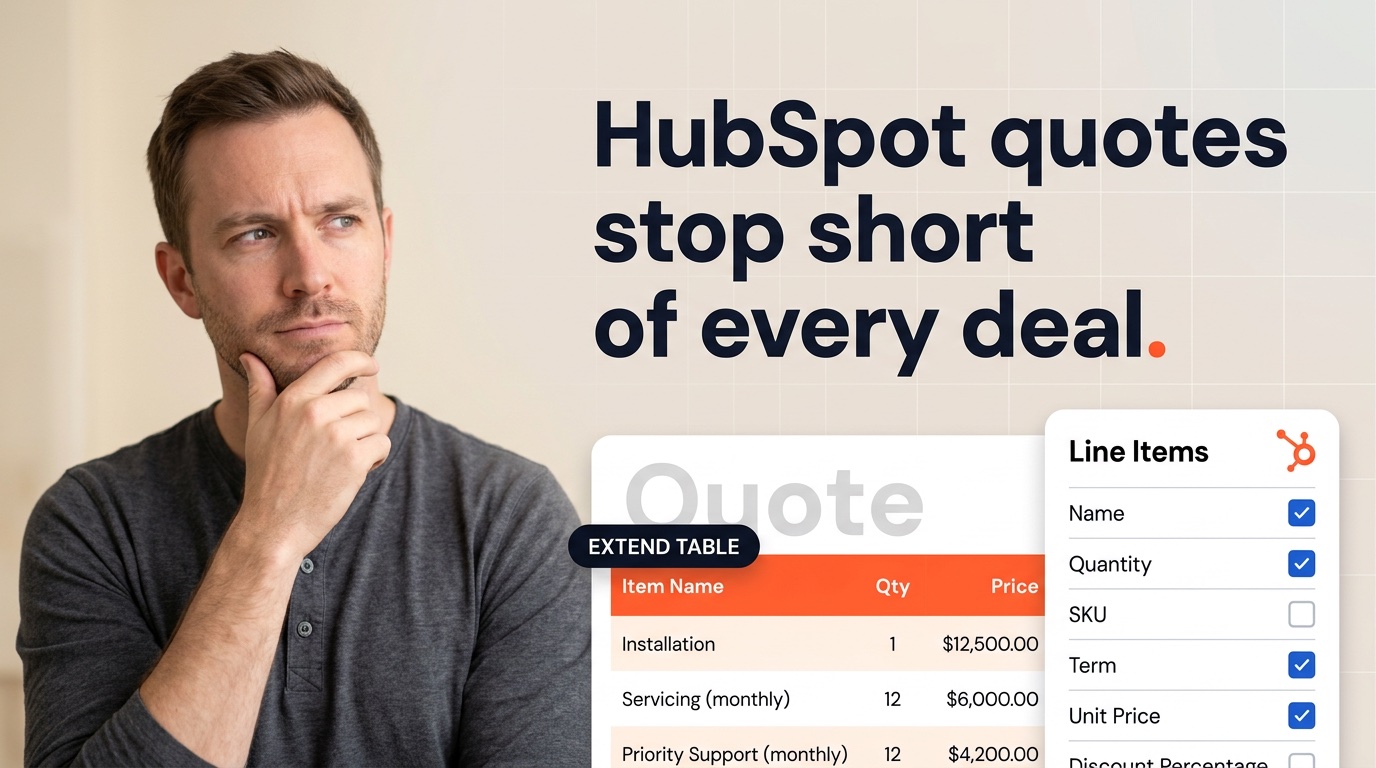
HubSpot Quotes is the free native quoting tool built into HubSpot Sales Hub. It generates simple, clean quotes from deal and line item data with no additional cost. For teams evaluating SalesBricks primarily for basic quoting rather than full CPQ or interactive proposals, HubSpot Quotes may be the simplest answer — it's already in your CRM, it's free, and it requires zero additional setup.
The limitations are well-defined: quote templates are fairly rigid, there's no advanced conditional logic or product configuration, and eSign requires Sales Hub Professional at $90/seat/mo. But for straightforward quoting workflows where the deal data is already in HubSpot and the buyer just needs a clean summary document, it's hard to argue against the free option as a starting point.
Key features
- Quote generation directly from HubSpot deal and line item data
- PDF output with company branding
- eSign at Sales Hub Professional tier
- Native HubSpot record — no separate integration
Pros
- Free with any HubSpot Sales Hub plan
- No setup — already inside your CRM
- Quotes are native HubSpot records with full timeline visibility
Cons
- Quotes only — no proposals, contracts, or other document types
- Limited template customisation compared to dedicated tools
- eSign requires Sales Hub Professional ($90/seat/mo)
Pricing: Free with Sales Hub (any tier). eSign requires Sales Hub Professional at $90/seat/mo.
 8. Juro — best for contract lifecycle management
G2: 4.7/5 · Custom pricing · Free plan: No
Juro is a contract lifecycle management platform built around a collaborative browser-based editor where sales, legal, and counterparties can all negotiate inside the same document. It's the right tool for teams where post-proposal contract management is the real bottleneck — where legal is an active participant in every commercial deal, not just a reviewer at signature time.
Juro's HubSpot integration lets teams generate contracts from deal data and sync signed contract status back to HubSpot. The CLM depth — version history, clause tracking, counterparty negotiation, renewal management — is beyond what most sales document tools offer. For teams that have solved proposals and are now trying to professionalise contract management, Juro is worth evaluating. For teams still solving basic document generation, the CLM overhead is more than needed.
Key features
- Collaborative browser-based contract editor
- Counterparty negotiation inside the document
- Clause library and version control
- HubSpot integration for generation and status sync
- Renewal management and contract analytics
Pros
- Best-in-class CLM for sales-legal collaboration
- Counterparty negotiation in the same interface
- Strong renewal and lifecycle tracking
Cons
- Custom pricing — no self-serve trial
- CLM overhead isn't justified for simple, non-negotiated agreements
- Focused on contracts — not a general-purpose document automation tool
Pricing: Custom — contact sales. Positioned at mid-market and enterprise.
 9. DocuSign — best for enterprise-grade eSignature
G2: 4.5/5 · From $45/user/mo (Standard) · Free plan: No (30-day trial)
DocuSign is the global standard for legally compliant electronic signatures. If your primary need leaving SalesBricks is a reliable, enterprise-accepted eSign solution — particularly in industries with specific compliance requirements (finance, healthcare, legal) — DocuSign's compliance certifications and global recognition make it the safe choice.
DocuSign is an eSign tool, not a document generation platform. You prepare documents elsewhere, then send them through DocuSign for signature. The HubSpot connector logs activity and updates deal status, but the integration is not deep enough to trigger document generation from HubSpot workflows. For teams that need end-to-end document automation, DocuSign needs to be paired with a generation tool.
Key features
- Legally compliant eSign in 180+ countries
- Bulk send and template envelopes
- Advanced authentication options
- HubSpot connector for activity logging
- Comprehensive audit trail and compliance reports
Pros
- Most widely recognised eSign brand — buyers are familiar with the process
- Strongest compliance and security certifications
- Reliable and mature platform
Cons
- eSign only — no document generation from HubSpot data
- HubSpot connector is shallow vs native integrations
- $45/user/mo is expensive for what is fundamentally a signing layer
Pricing: Standard $45/user/mo. 5-user team: $225/mo for signatures only.
 10. Oneflow — best for contract automation with interactive elements
G2: 4.6/5 · From $35/user/mo · Free plan: No (14-day trial)
Oneflow sits in an interesting position: it combines contract creation, interactive elements (like SalesBricks' pricing tables), and eSign in one platform. Where SalesBricks is proposal-focused and Juro is CLM-focused, Oneflow targets the overlap — contracts that benefit from interactive pricing or configuration at the point of signature.
The HubSpot integration is native and covers generation, sending, and status sync. For teams that want to move away from SalesBricks and consolidate proposals and contracts into one tool — with some interactive proposal features retained — Oneflow is worth evaluating. Its positioning between interactive proposals and contract management gives it a broader scope than most pure-play tools in either category.
Key features
- Contract creation with interactive pricing tables
- Built-in eSign with multi-party support
- Native HubSpot integration
- Template library and clause management
- Contract analytics and renewal tracking
Pros
- Combines proposals, contracts, and eSign in one tool
- Interactive elements bridge proposals and contracts
- Lower per-seat cost than PandaDoc or Proposify
Cons
- Per-seat pricing grows with headcount
- Not as deep on CLM as Juro or document automation as Portant
- Template editor requires building in Oneflow's interface
Pricing: From $35/user/mo. 5-user team: $175/mo vs Portant Team $125/mo.
How to choose the right SalesBricks alternative
The right choice depends on which SalesBricks limitation is driving the switch.
If you need more document types: SalesBricks is proposals-focused. If you also need contracts, NDAs, and SOWs from the same platform, Portant covers all of them with HubSpot-native automation and Google Docs templates. PandaDoc is the second choice if you want a dedicated editor.
If you want interactive proposals but more flexibility: Qwilr offers a similar web-based interactive format with a native HubSpot integration and lower per-seat pricing. Oneflow adds contracts to the mix if you need both.
If you need enterprise CPQ: DealHub is the upgrade path. It handles complex product configuration, guided selling, and revenue management at a level SalesBricks doesn't reach.
If you want transparent pricing: Portant publishes all pricing and has a free tier. Most other tools on this list with serious HubSpot integration require a sales call before you can trial or get a quote.
Quick shortcut: If you're switching because SalesBricks doesn't cover your full document stack, start with Portant — it handles everything from the first proposal to the final signed contract, all from HubSpot, with no per-seat pricing. Free plan available.
Frequently asked questions
What is the best SalesBricks alternative for HubSpot teams?
Portant is the top-rated SalesBricks alternative for HubSpot teams. It automates all document types — proposals, contracts, NDAs, quotes, and SOWs — directly from HubSpot using your existing Google Docs or Word templates, with built-in eSign and flat workspace pricing from $42/mo.
Why do teams switch from SalesBricks?
Teams typically switch because SalesBricks is focused on interactive CPQ proposals and doesn't cover the full document lifecycle — contracts, NDAs, SOWs, and standard PDFs aren't its strength. Custom pricing with no published rates and the need for a sales call before trialling also create friction for smaller or faster-moving teams.
Is there a free SalesBricks alternative?
Yes. Portant offers a free plan covering up to 10 documents per month with HubSpot integration. HubSpot Quotes is also free with any Sales Hub plan and handles basic quoting natively inside HubSpot.
What is the cheapest SalesBricks alternative?
Portant is the most cost-effective full-featured alternative, starting at $42/mo for the whole workspace rather than per seat. For teams of 3–5 that would pay hundreds per month with per-seat tools, Portant's flat rate is significantly cheaper.
Is Portant better than SalesBricks for HubSpot teams?
For HubSpot teams that need to generate multiple document types — not just interactive pricing proposals — yes. Portant works natively inside HubSpot, uses your existing Google Docs templates, and handles proposals, contracts, eSign, and approvals from a single platform at a published flat price.
Does SalesBricks integrate with HubSpot?
SalesBricks offers a HubSpot connection for syncing deal and contact data. However, it doesn't create HubSpot-native document records or trigger natively from HubSpot workflows the way Portant does. Documents generated through SalesBricks live in SalesBricks, not on your HubSpot deal timeline.
What is the best SalesBricks alternative for small businesses?
Portant is the best option for small businesses — free plan available, simple Google Docs-based templates, and flat workspace pricing that doesn't scale with headcount. Proposify is a good choice for teams that want a polished built-in proposal editor without CPQ complexity.